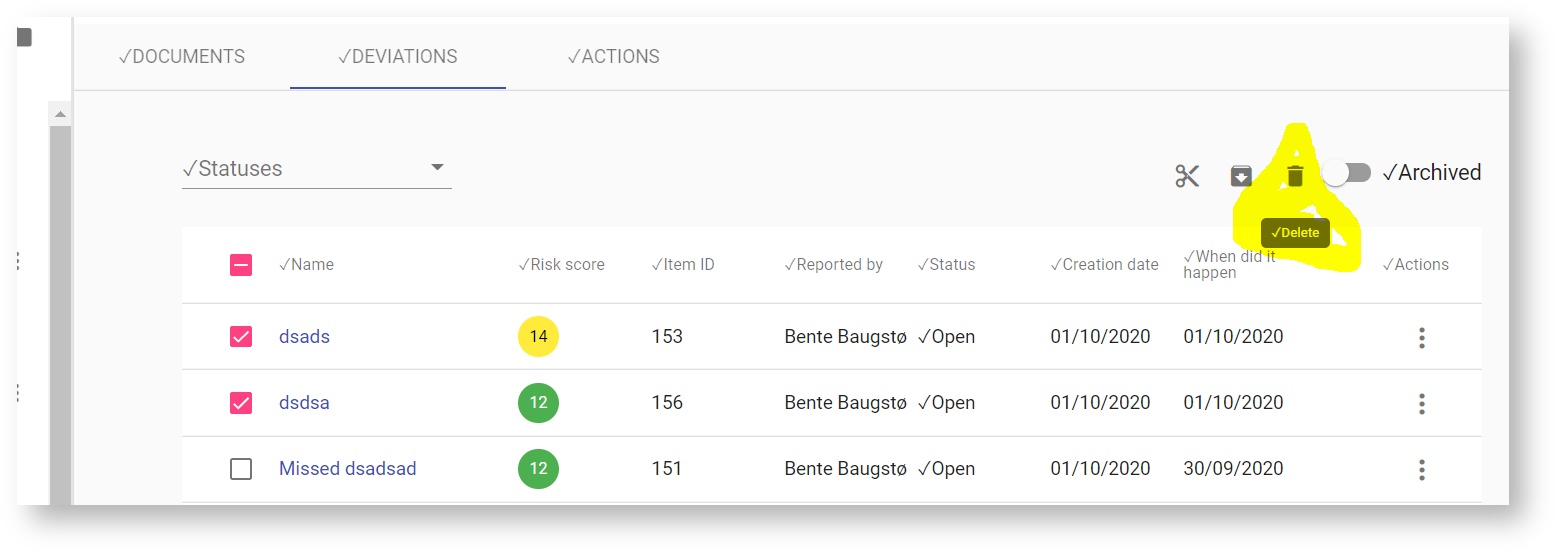
- Select the deviation(s) you want to delete
- Click on the trash bin symbol
- You can delete many deviations at the same time.
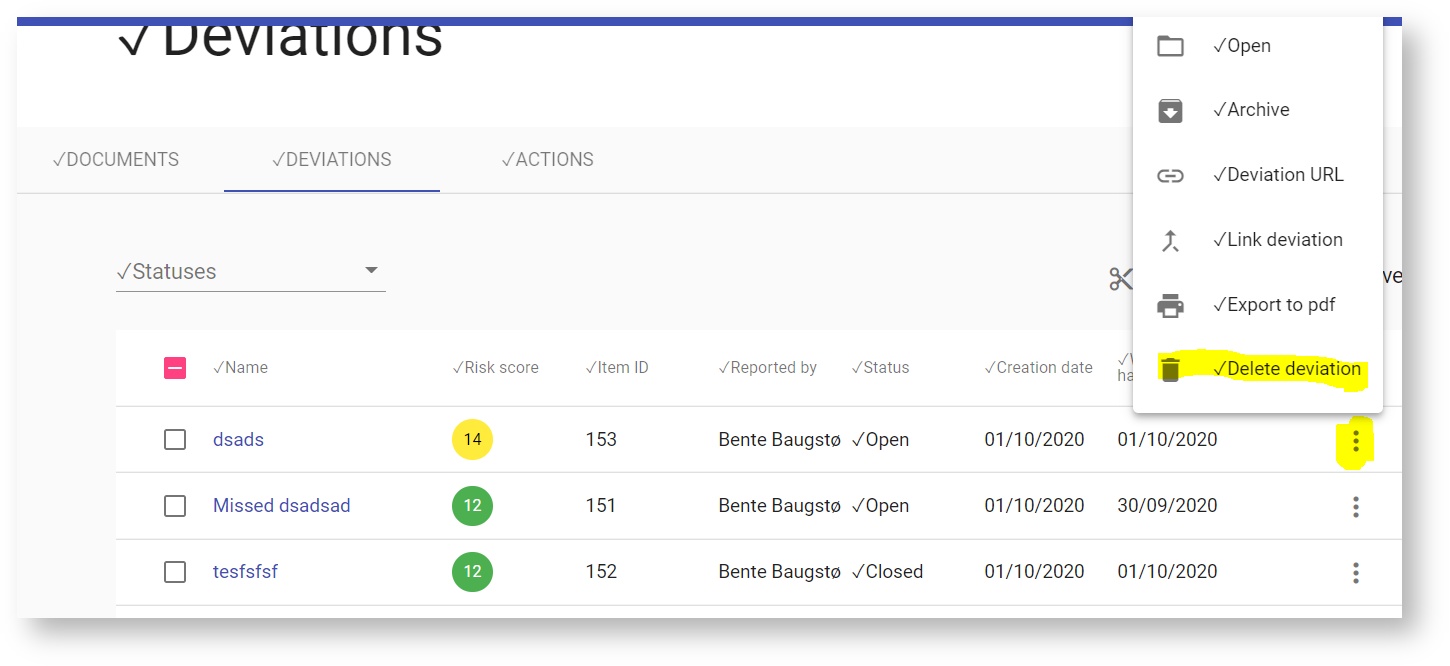
You can also delete a deviation from the 3 dot menu by selecting the document and the delete symbol.
| Tip |
|---|
You can also delete a deviation from the 3 dot menu by selecting the document and the delete symbol.
| Tip |
|---|