/
Document reports (IRS)
RamBase QMS User guide
Document reports (IRS)
- Bente Baugstø (Unlicensed)
Owned by Bente Baugstø (Unlicensed)
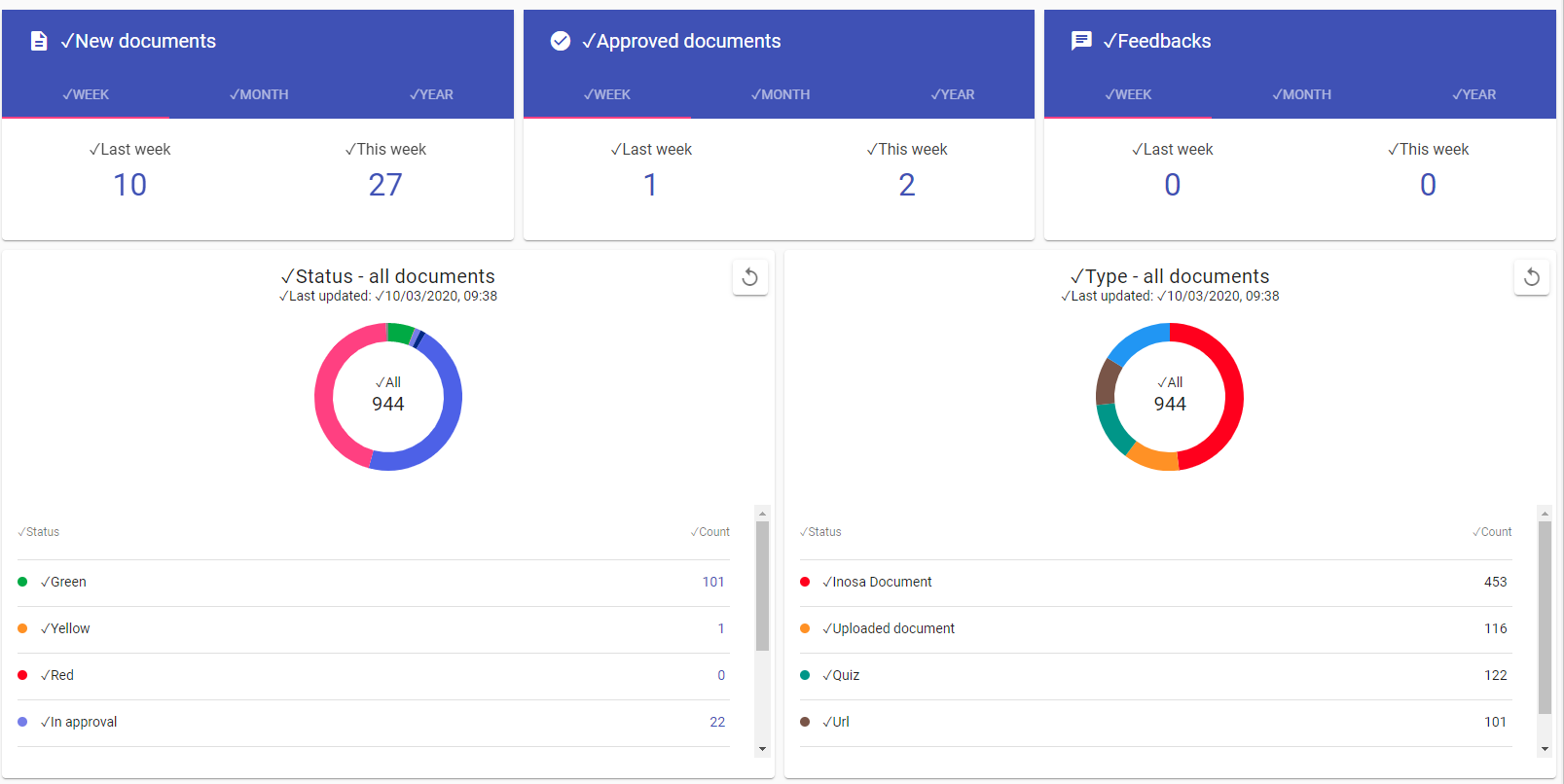
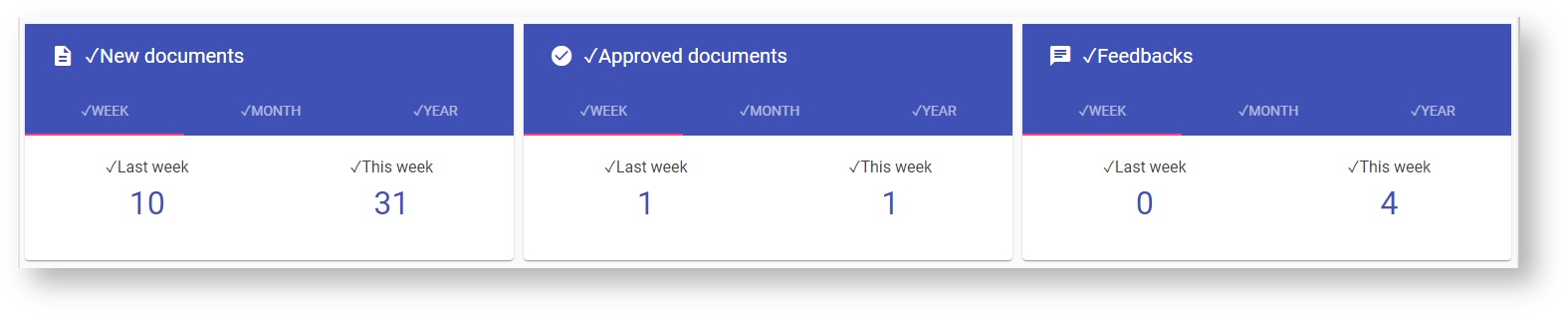
This is the main page for document reports:
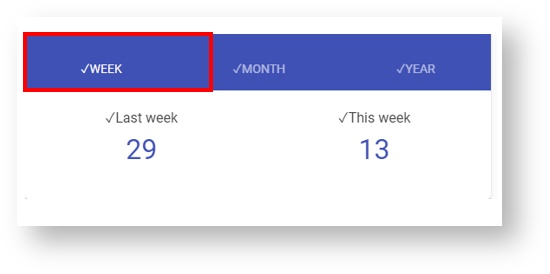
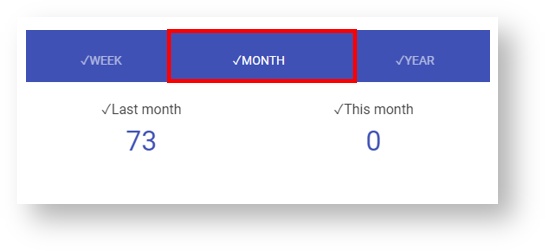
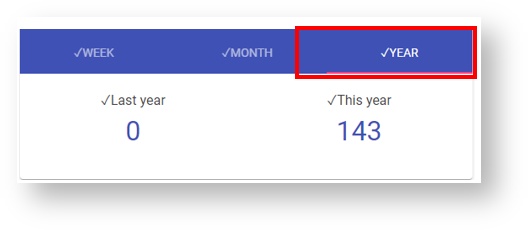
Click on Week - Month - Year to get the numbers for the spesific time frame:
Search this documentation
New documents
How many new documents are created in the selected time frame. Also includes new versions of a document.
Click on the number in the report to get details.
Approved documents
How many documents are approved during the selected time frame.
Feedbacks
How many feedbacks are given to the documents in the selected time frame. Also includes feedbacks to feedbacks.
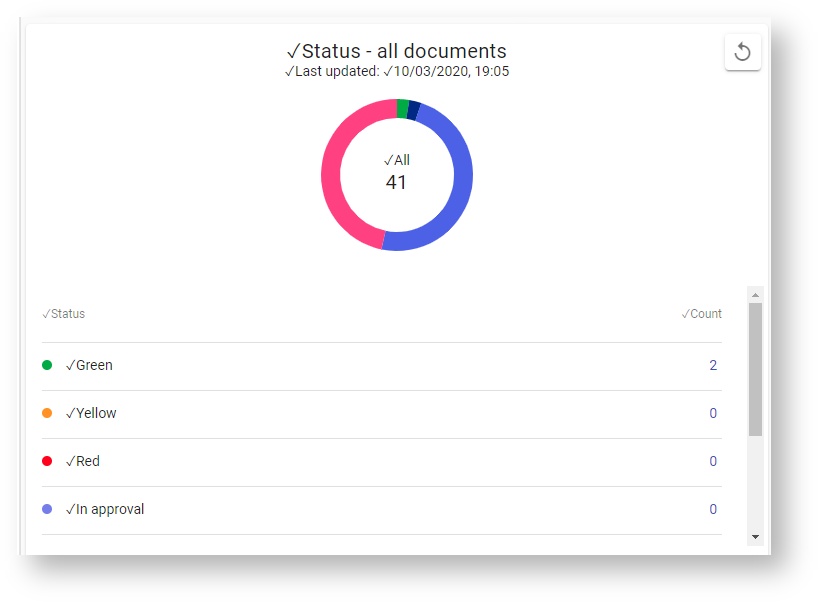
Status - all documents
All documents = total number of documents at the time set. The number of documents with the different statuses are shown below. Archived documents are included.
- Green = number of approved documents within revision date
- Yellow = number of approved documents with revision date about to expire
- Red = number of approved documents with expired revision date
- In approval = number of documents sent for approval
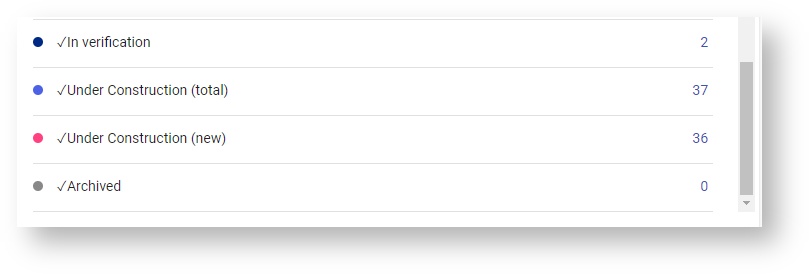
- In verification = number of documents sent for verification
- Under contruction (total) = number of documents which have the status under construtuin. Includes both new versions of approved documents and new documents
- Under construction (new) = number of new documents (version 1) with the status under construction
- Archived = number of archived documents
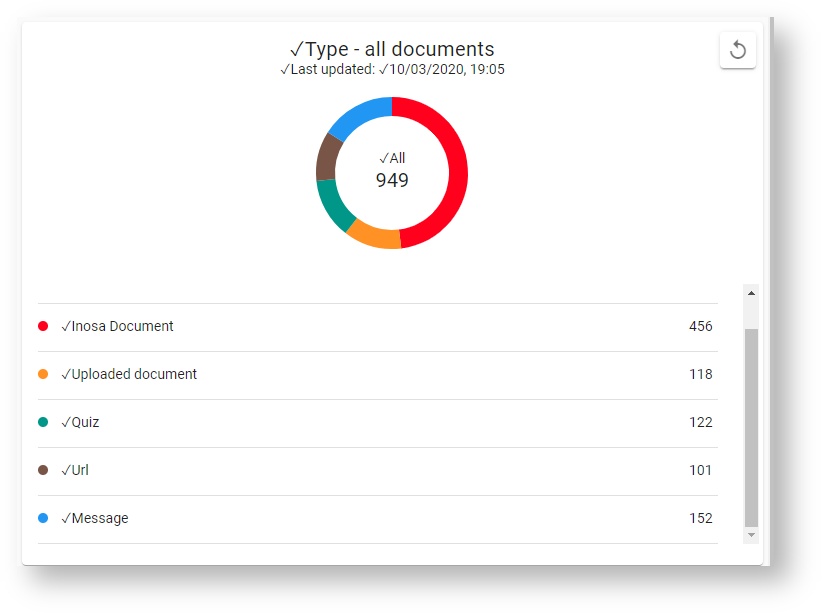
Type - all documents
Counts approved documents per type:
- Inosa document
- Uploaded document
- Quiz
- Url
- Message
, multiple selections available,
Related content
Getting started with reports (IRS)
Getting started with reports (IRS)
More like this
Competence reports (IRS)
Competence reports (IRS)
More like this
INOSA Report System (IRS) [EN]
INOSA Report System (IRS) [EN]
More like this
Report overview
Report overview
More like this
Reading status for a user
Reading status for a user
More like this
My documents
My documents
More like this
RamBase QMS 2024